
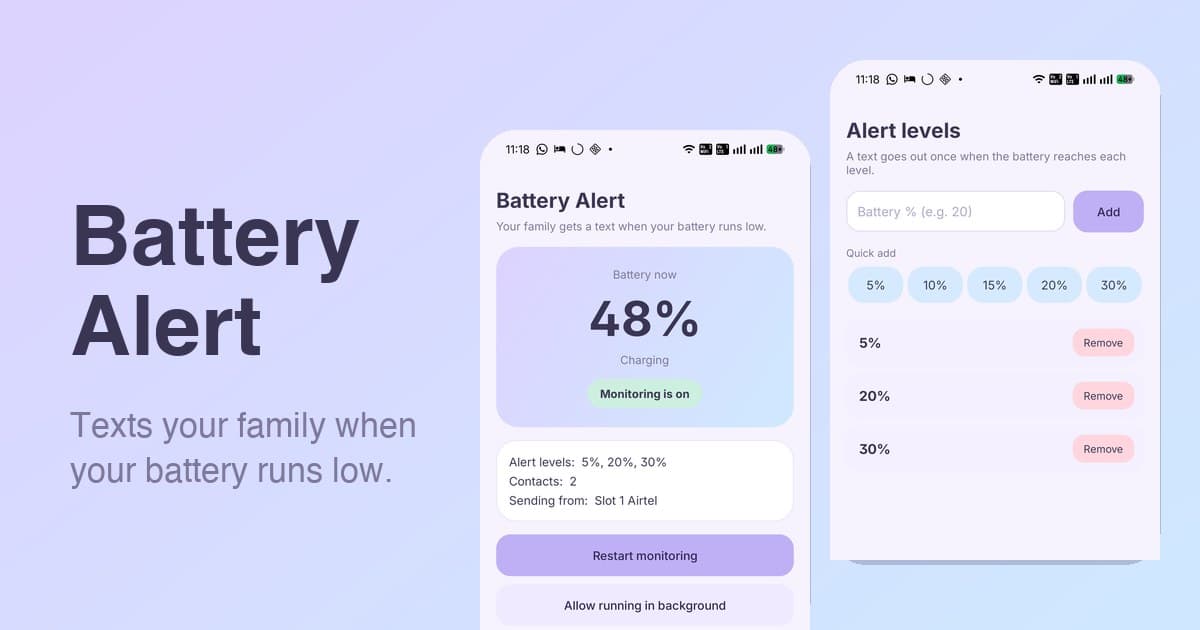
Battery Alert
Android app · Version 1.0.2 · 1.7 MB
Battery Alert quietly watches your phone's battery and sends a normal text message (SMS) to the people you choose when it drops to the levels you set, for example 30%, 20% and 5%. Your family finds out before your phone goes dark, and they don't need internet or any app to receive it.
Download Battery Alert (APK)SHA-256: 6b72ca48c92752b716707e3bba871a1bc207813e0aa00e5a8fbacb2303d4a9f1
How it works
- Pick any number of alert levels and any number of contacts.
- Texts are sent straight from your SIM, with no internet needed.
- One text per level per drop, and none while the phone is charging.
- Choose which SIM sends the texts on dual-SIM phones.
- A small notification shows that it is running.
- Restarts by itself after the phone reboots.
How to install
- Open this page on your Android phone and tap Download.
- Open the downloaded file. Allow installs from this source if asked.
- If Play Protect warns you, tap More details, then Install anyway. The warning appears because the app is not on the Play Store.
- Open the app, add alert levels and contacts, and tap Start monitoring. Allow SMS, phone and notification permissions.
- If the SMS permission is greyed out, go to Settings, then Apps, then Battery Alert, open the menu (three dots) and choose Allow restricted settings.
- Tap Allow running in background and set the app to unrestricted so your phone does not stop it.
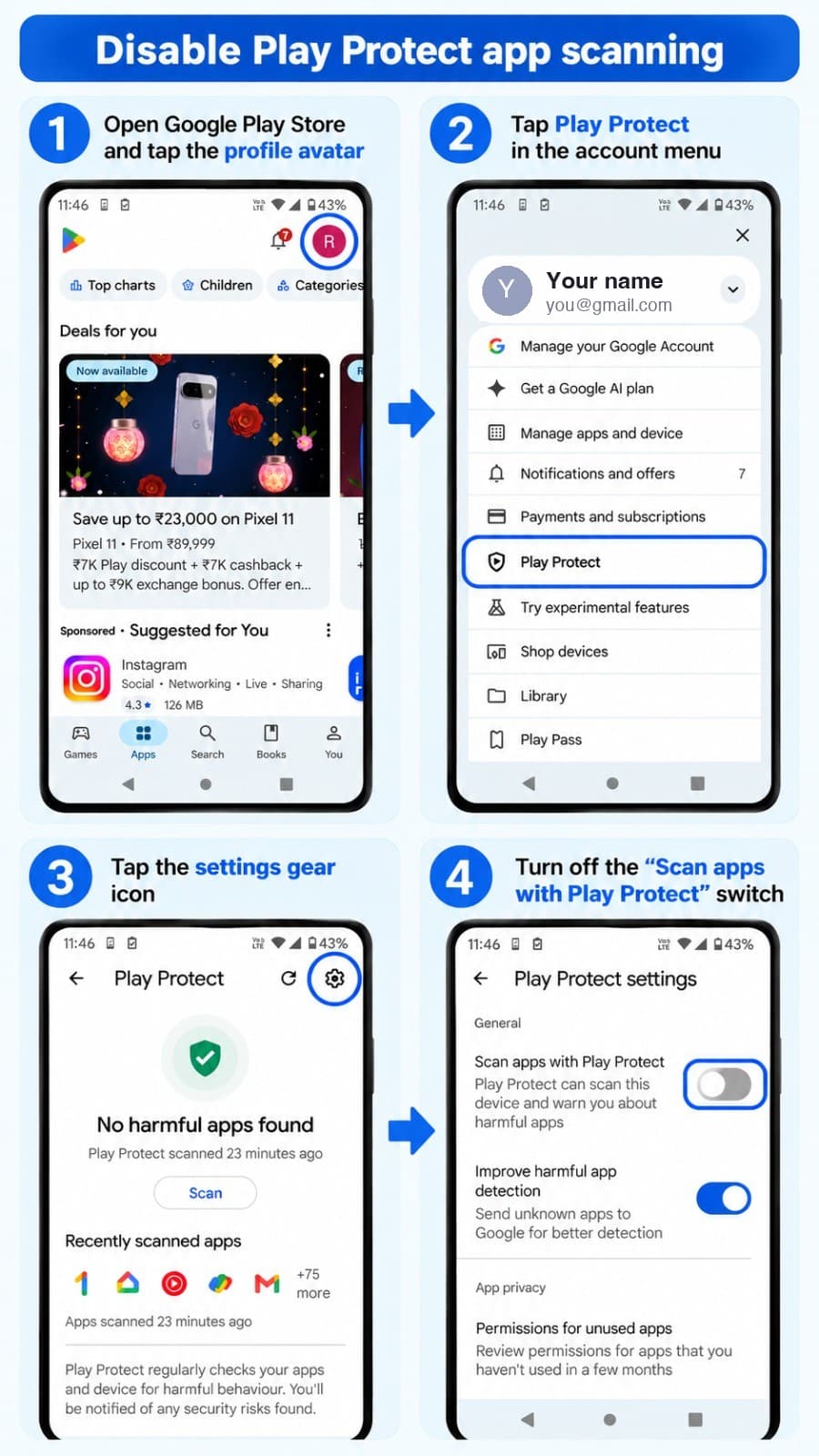
If Play Protect blocks the install
If there is no Install anyway option, turn off Play Protect app scanning for a few minutes, install Battery Alert, then turn scanning back on. Follow the four steps below.
Good to know
- Your carrier's normal SMS charges apply to the texts the app sends.
- On Samsung, Xiaomi, OnePlus and similar phones, also remove Battery Alert from any "sleeping apps" or battery-saver list.
- Android 8.0 or newer is required. After a restart, unlock your phone once so monitoring can resume.
Privacy
Battery Alert does not ask for internet access, has no analytics or ads, and keeps your alert levels and contacts only on your phone. It asks for SMS permission to send the texts you set up, and phone-state permission only to list your SIMs. Contacts are chosen through Android's own picker, so the app never reads your address book.
Why it is not on Google Play
Google Play only allows automatic SMS sending for default messaging apps, so Battery Alert is shared directly from this page.
Built by Whitepigeon Solutions. Questions? Get in touch.